> ## Documentation Index
> Fetch the complete documentation index at: https://docs.superscale.ai/llms.txt
> Use this file to discover all available pages before exploring further.
# Changelog
> Everything new in Superscale — newest first.
## New plan lineup
Superscale now has four plans: Advanced ($99), Pro ($199), Scale ($399), and Enterprise ($799+). Ad-account integrations (Meta, Google, TikTok, Shopify) and the Superscale MCP are included from the Pro plan upward. Brands and team members scale by tier: 1 brand and 2 team members on Advanced, up to 5 and 5 on Pro, up to 15 and 15 on Scale, and unlimited on Enterprise.
See [Plans](/billing/plans) for the full breakdown.
## Everything starts from your context now
This release is about giving the Agent better context to work from: your goals, your store data, your Meta performance, and your brand itself. Here's everything that's new.
### Let the Agent Write Your Brand Guidelines
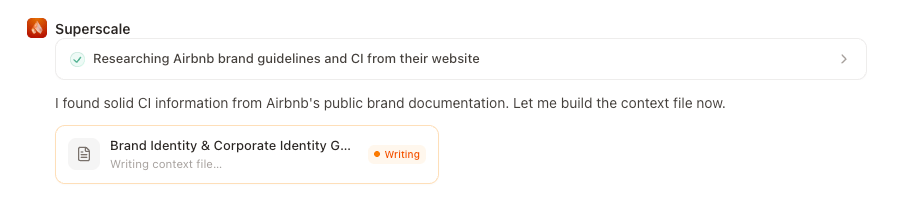
Create or update Context files directly from chat, and let the Agent tailor your outputs even more on brand.
* Share images of your past winning ads: the Agent studies what's worked and turns it into brand guidelines you can edit
* Update your logo and brand colors, and create or update Context files, directly from chat
* Define a naming convention once, save it as a Context file, and every asset you generate is saved with the correct name automatically
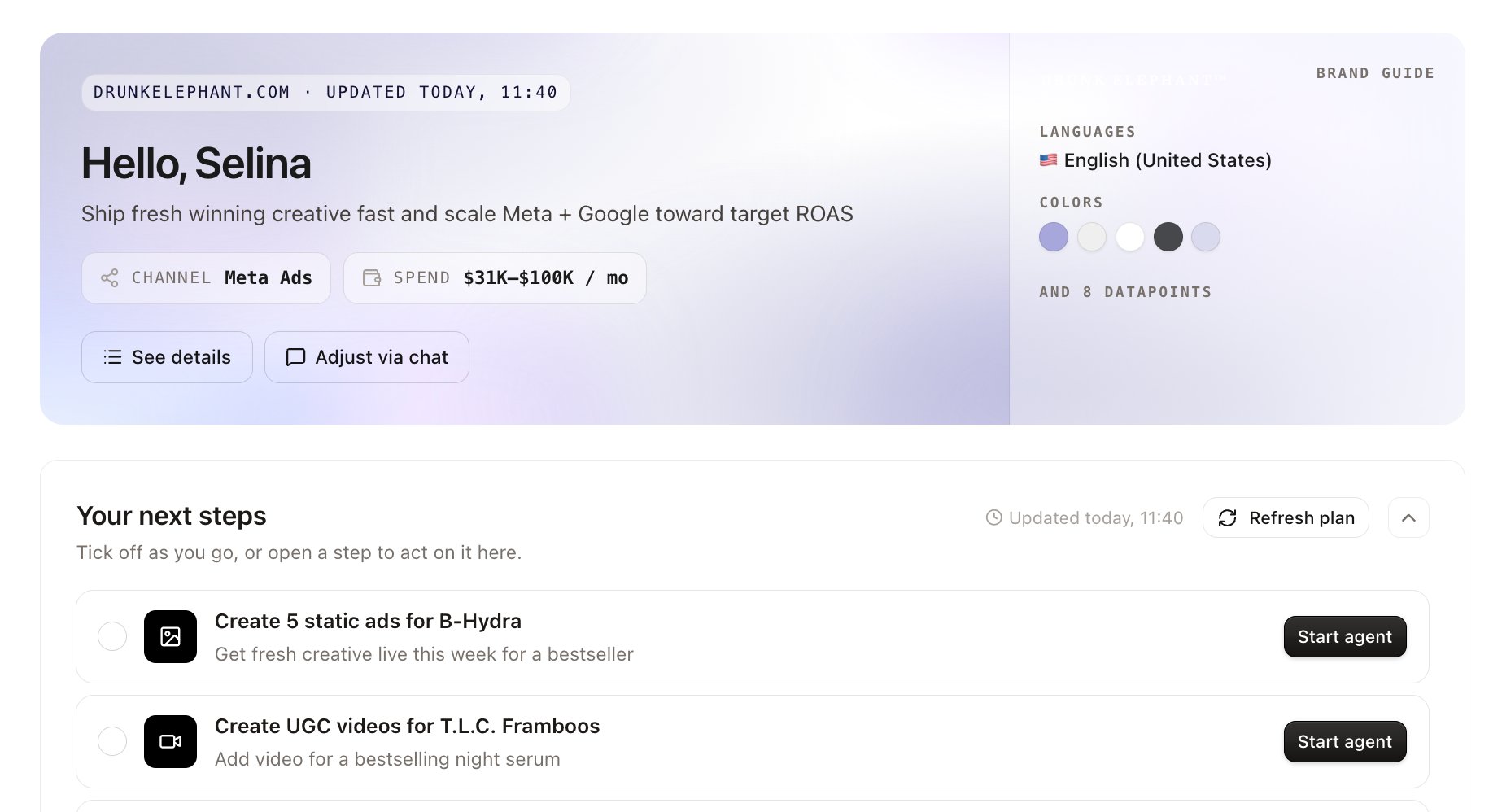
 ### A Homepage Built Around Your Goal
Your homepage now starts from the goal you set during onboarding and lays out a plan to get there.
* Each step comes with the prompt already written; click it and the Agent gets to work, whether that's a competitor scan before your next creative round or fresh statics for your hero product
* Complete a step and you'll get a suggestion for what to run next
Signed up before today? Open the **Dashboard** and set your plan; it takes a minute
### A Homepage Built Around Your Goal
Your homepage now starts from the goal you set during onboarding and lays out a plan to get there.
* Each step comes with the prompt already written; click it and the Agent gets to work, whether that's a competitor scan before your next creative round or fresh statics for your hero product
* Complete a step and you'll get a suggestion for what to run next
Signed up before today? Open the **Dashboard** and set your plan; it takes a minute
 ### Meta Performance, Right in the Dashboard
Step into a channel from the Dashboard to see your account data and create ads without leaving the numbers behind.
* See your Meta account data and create ads for that channel with performance right in front of you
* Every running agent, every result, and your reports now live on the same page
### Connect Shopify, Google Analytics, and Klaviyo
Connect your store and the Agent works from your real data instead of names and prices pasted into a prompt.
* Real products, actual site performance, and email performance feed every task
* Try: *"Look at my best-selling products this month and create 3 static ads for the top one."*
## Our biggest update since the Agent launch
This release touches nearly every part of the creative workflow: from how you review and approve ads, to how channels and safe zones are handled, to how you work with products and logos. Here's everything that's new.
### Review Ads & Approval Flow
Every creative now moves through a clear **Review → Approve** flow before it goes anywhere.
* Click directly on any creative to **zoom in** and catch every detail before approving
* Hit approve with one click; Superscale automatically generates all placements for your selected channel (Meta, Google, and more) in the correct safe zones
### Generate for Specific Channels & Safe Zones
Superscale now respects the safe zones for each marketing channel. When you select a channel, generated placements are automatically sized and composed to fit; no manual cropping or resizing needed.
### Meta Performance, Right in the Dashboard
Step into a channel from the Dashboard to see your account data and create ads without leaving the numbers behind.
* See your Meta account data and create ads for that channel with performance right in front of you
* Every running agent, every result, and your reports now live on the same page
### Connect Shopify, Google Analytics, and Klaviyo
Connect your store and the Agent works from your real data instead of names and prices pasted into a prompt.
* Real products, actual site performance, and email performance feed every task
* Try: *"Look at my best-selling products this month and create 3 static ads for the top one."*
## Our biggest update since the Agent launch
This release touches nearly every part of the creative workflow: from how you review and approve ads, to how channels and safe zones are handled, to how you work with products and logos. Here's everything that's new.
### Review Ads & Approval Flow
Every creative now moves through a clear **Review → Approve** flow before it goes anywhere.
* Click directly on any creative to **zoom in** and catch every detail before approving
* Hit approve with one click; Superscale automatically generates all placements for your selected channel (Meta, Google, and more) in the correct safe zones
### Generate for Specific Channels & Safe Zones
Superscale now respects the safe zones for each marketing channel. When you select a channel, generated placements are automatically sized and composed to fit; no manual cropping or resizing needed.
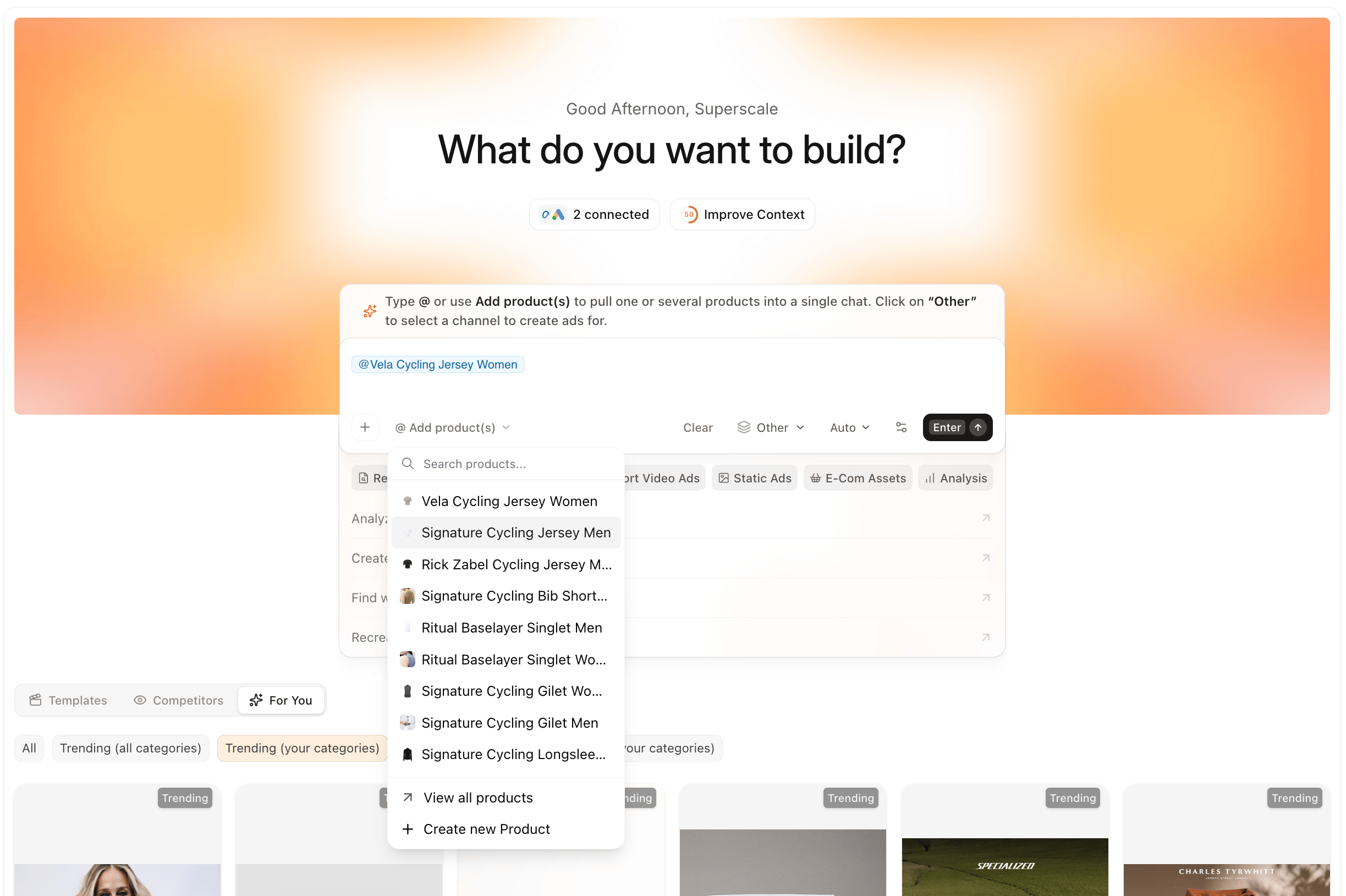
.png?fit=max&auto=format&n=sE9PEP_4EhVQV79z&q=85&s=a9eff76d63b54bedeee4d4e3deca8e6d) ### E-Com: Multi-Product Support
Type “**@”** to tag as many products as you need and generate ads for all of them in one go. Want them combined into a single ad for a bundle or offer? Just prompt for it.
Product accuracy has also been meaningfully improved across the board.
### E-Com: Multi-Product Support
Type “**@”** to tag as many products as you need and generate ads for all of them in one go. Want them combined into a single ad for a bundle or offer? Just prompt for it.
Product accuracy has also been meaningfully improved across the board.
 ### Logo Accuracy & Placement
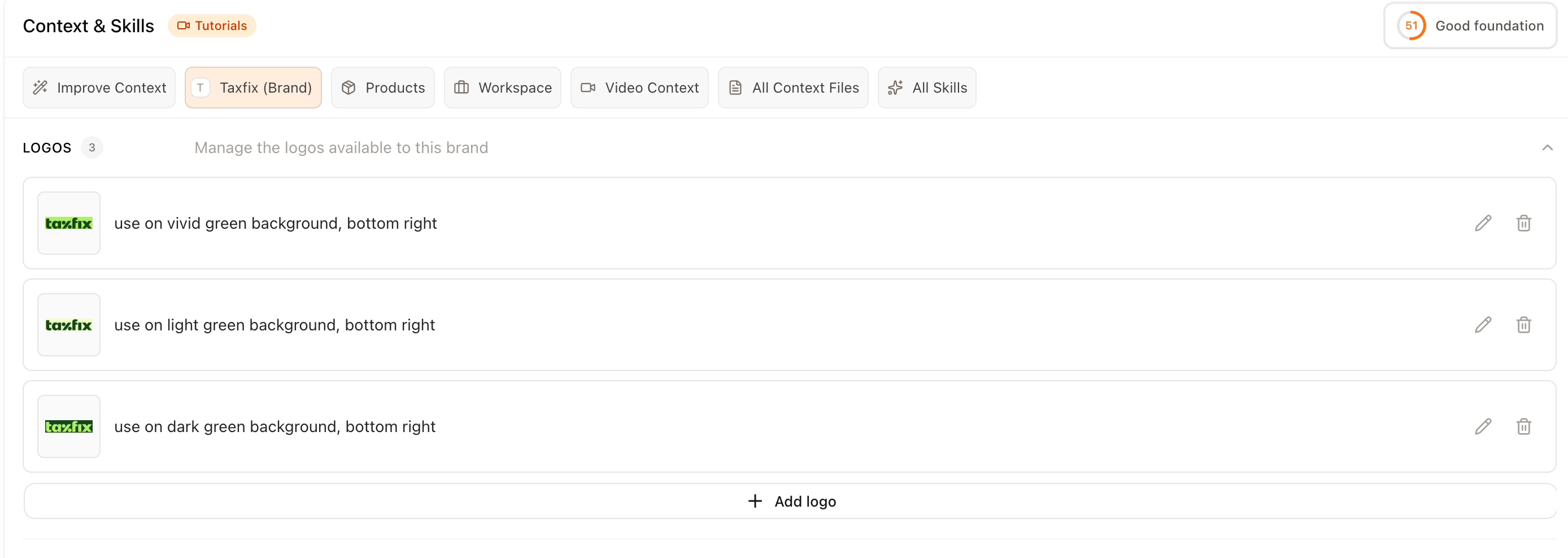
We've rebuilt the logo section under **Context & Skills > Brand**.
You can now add a short usage description to tell Superscale exactly how to place and use each logo variant:
* *"Always place my logo in the bottom right"*
* *"Only use this variant on dark backgrounds"*
This gives you more precise control and noticeably better logo quality in generations.
### Logo Accuracy & Placement
We've rebuilt the logo section under **Context & Skills > Brand**.
You can now add a short usage description to tell Superscale exactly how to place and use each logo variant:
* *"Always place my logo in the bottom right"*
* *"Only use this variant on dark backgrounds"*
This gives you more precise control and noticeably better logo quality in generations.
 ## Save a whole workflow once, run it with one prompt
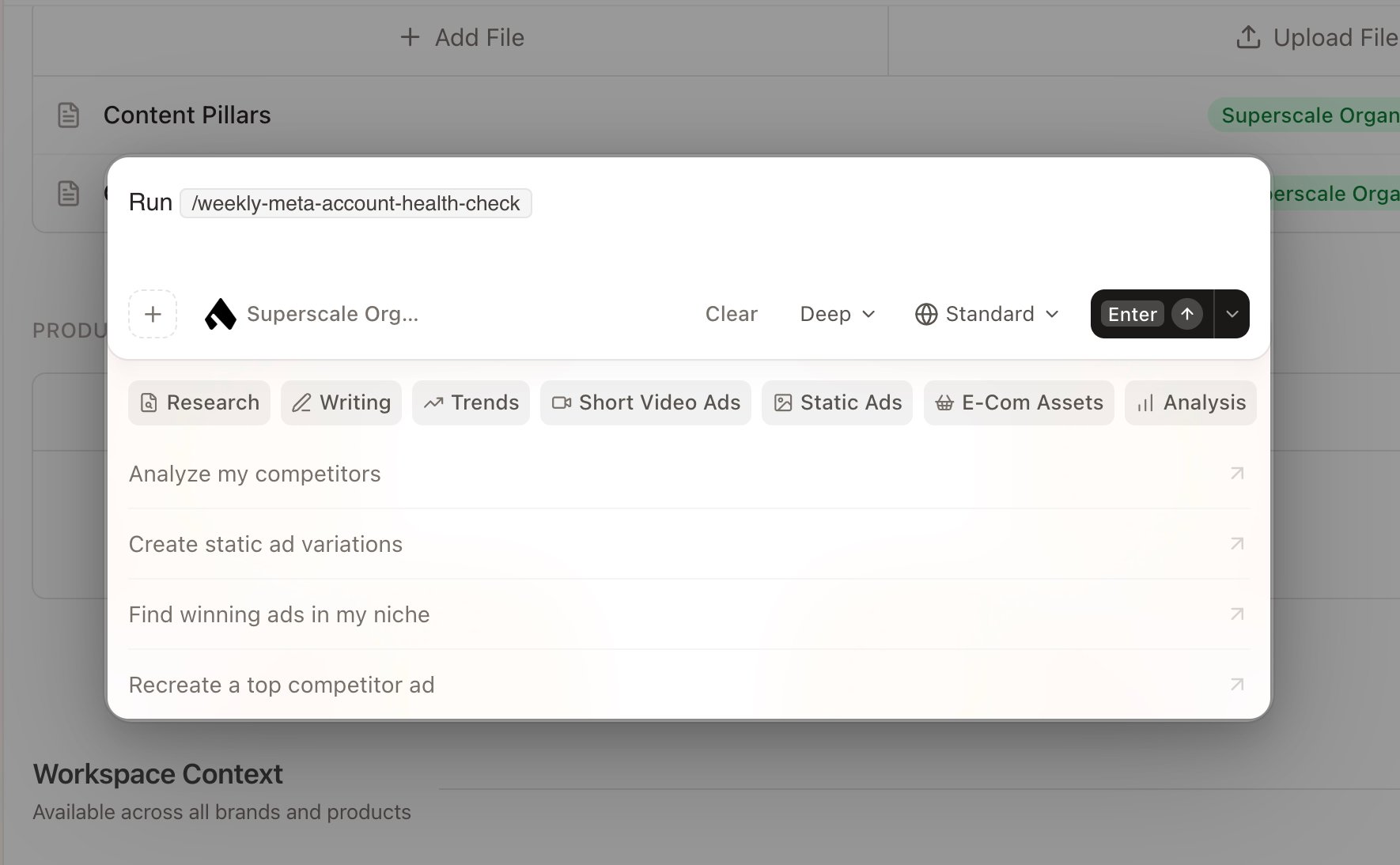
Skills let you save an entire process — not just brand context, but the whole thing: reference files, creative formulas, research steps, evaluation criteria, and output specs. Run it any time with a single prompt. Build your own or start from one we've made. Find it under **Context**, then add a Skill to your workspace.
A few examples: a research-to-statics pipeline, a weekly Meta audit, or a competitor teardown — each reusable with one prompt.
## Save a whole workflow once, run it with one prompt
Skills let you save an entire process — not just brand context, but the whole thing: reference files, creative formulas, research steps, evaluation criteria, and output specs. Run it any time with a single prompt. Build your own or start from one we've made. Find it under **Context**, then add a Skill to your workspace.
A few examples: a research-to-statics pipeline, a weekly Meta audit, or a competitor teardown — each reusable with one prompt.
 ## Generated ads now come with the copy to launch them
Click a generated ad, choose Meta or Google, and pick your campaign objective. We generate primary texts, headlines, and descriptions — informed by the competitor and performance data the Agent already researched for you. Ready to paste.
## More competitor insight on every ad
Competitor research now surfaces total reach, growth trends, run dates, age targeting, and platform breakdown for each ad — so you can see which patterns are worth replicating.
## 50+ new AI characters and custom voice presets
More faces, ages, and styles for your UGC ads, all with realistic lip sync and natural expressions. Found a voice that fits your brand? Set it as the default for any character from the Character Library under **Edit Voices**.
## In-product live chat
Reach our team without leaving Superscale.
## Generate short videos right in Agent Chat
Powered by the new Seedance model, you can now create short videos directly in the Agent. Ask it to research your market and produce videos that show the problem, the customer's perspective, and how your product solves it — all in one prompt.
## Google Ads, static editing, and cheaper statics
Google Ads integration is now live. Edit any static with our new editing feature — just right-click or hit **Edit**. And statics dropped from 50 to 35 credits, at the same quality.
## A home for your brand and product context
A new Context page in the sidebar lets you give your Agent detailed brand and product context and instructions. Better context means higher-quality generations and faster results.
## Generated ads now come with the copy to launch them
Click a generated ad, choose Meta or Google, and pick your campaign objective. We generate primary texts, headlines, and descriptions — informed by the competitor and performance data the Agent already researched for you. Ready to paste.
## More competitor insight on every ad
Competitor research now surfaces total reach, growth trends, run dates, age targeting, and platform breakdown for each ad — so you can see which patterns are worth replicating.
## 50+ new AI characters and custom voice presets
More faces, ages, and styles for your UGC ads, all with realistic lip sync and natural expressions. Found a voice that fits your brand? Set it as the default for any character from the Character Library under **Edit Voices**.
## In-product live chat
Reach our team without leaving Superscale.
## Generate short videos right in Agent Chat
Powered by the new Seedance model, you can now create short videos directly in the Agent. Ask it to research your market and produce videos that show the problem, the customer's perspective, and how your product solves it — all in one prompt.
## Google Ads, static editing, and cheaper statics
Google Ads integration is now live. Edit any static with our new editing feature — just right-click or hit **Edit**. And statics dropped from 50 to 35 credits, at the same quality.
## A home for your brand and product context
A new Context page in the sidebar lets you give your Agent detailed brand and product context and instructions. Better context means higher-quality generations and faster results.
 ## Star the generations you love
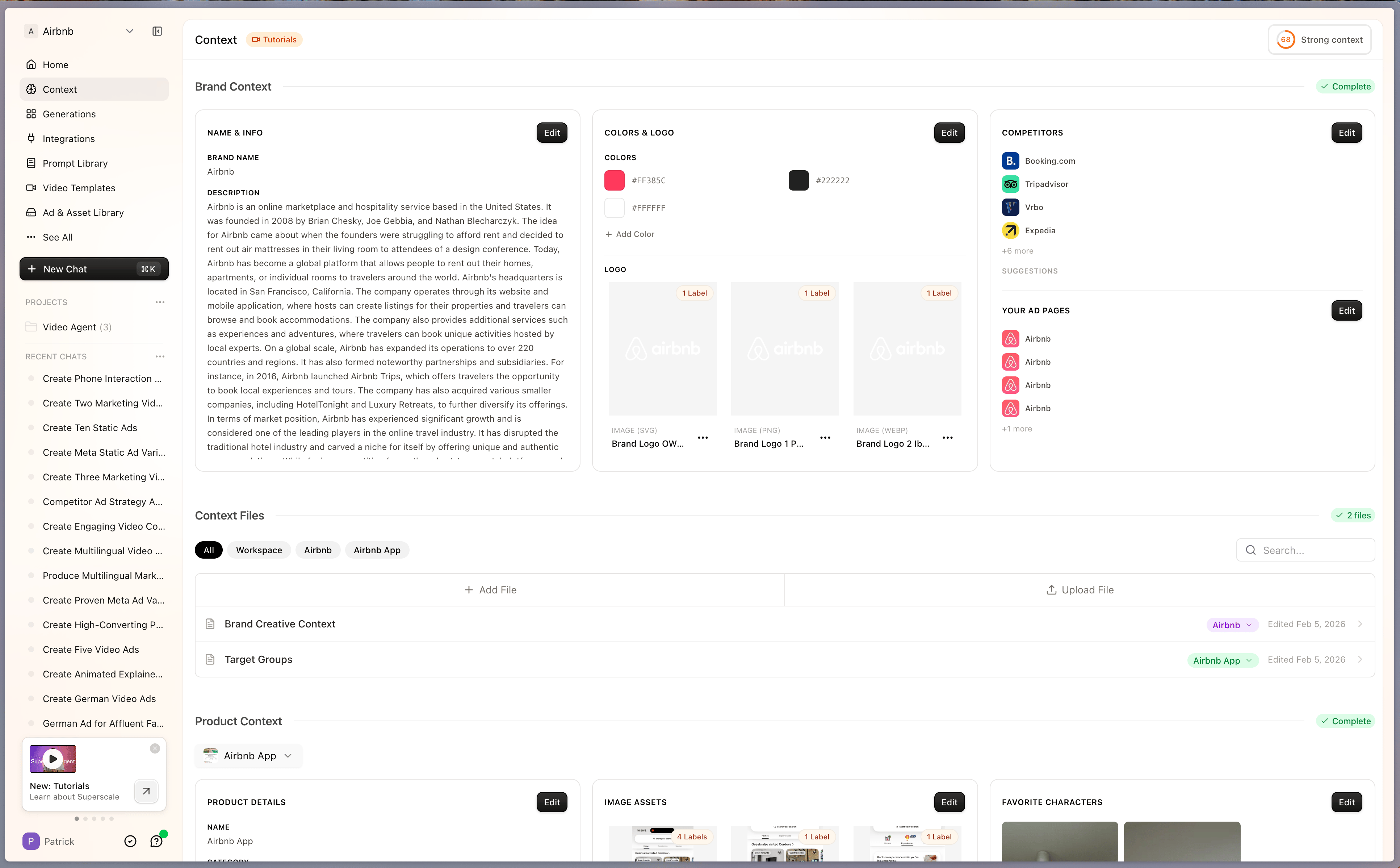
Mark a generation with a star in chat or on the generations page, then filter by starred to find your best work faster. The preview modal also gets a cleaner design that matches the Agent preview.
## Star the generations you love
Mark a generation with a star in chat or on the generations page, then filter by starred to find your best work faster. The preview modal also gets a cleaner design that matches the Agent preview.
 ## A brand-new look for Superscale
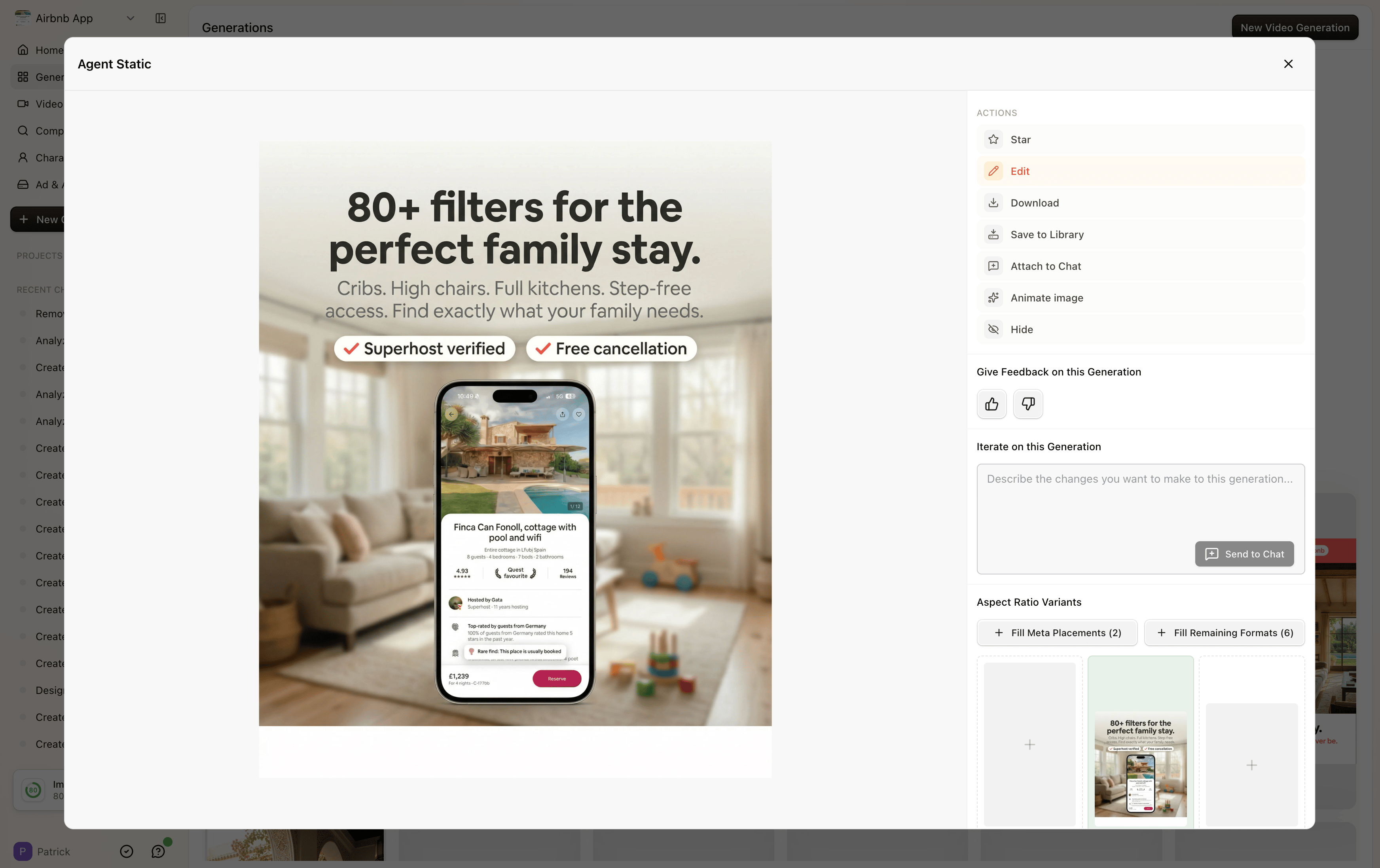
We gave the whole platform a fresh design — and shipped a stack of new features with it.
## Organize the Agent your way
Sort chats into projects, pin important ones to the top, and open a full overview page for every chat and project, including who on your team started what. Press **CMD+K** from anywhere to start a new chat.
## Connect Google Ads
On the Advanced plan and above, connect your Google Ads account for analyses and reports — just like Meta and TikTok.
## More ways to get started
A new tutorial library in the user menu, a referral program that gives you 3,000 credits for every subscription you refer, and the option to create new brands and products straight from the Agent.
## Download all, hide, and upscale to 1.91:1
Download every generation in a task with one button, hide the ones you don't need, and upscale to 1.91:1 for Meta and other ad placements.
## A refreshed superscale.ai
New homepage with updated case studies, example ads, and our Superscale Agent launch video.
## A brand-new look for Superscale
We gave the whole platform a fresh design — and shipped a stack of new features with it.
## Organize the Agent your way
Sort chats into projects, pin important ones to the top, and open a full overview page for every chat and project, including who on your team started what. Press **CMD+K** from anywhere to start a new chat.
## Connect Google Ads
On the Advanced plan and above, connect your Google Ads account for analyses and reports — just like Meta and TikTok.
## More ways to get started
A new tutorial library in the user menu, a referral program that gives you 3,000 credits for every subscription you refer, and the option to create new brands and products straight from the Agent.
## Download all, hide, and upscale to 1.91:1
Download every generation in a task with one button, hide the ones you don't need, and upscale to 1.91:1 for Meta and other ad placements.
## A refreshed superscale.ai
New homepage with updated case studies, example ads, and our Superscale Agent launch video.
 ## Bulk-edit your asset library
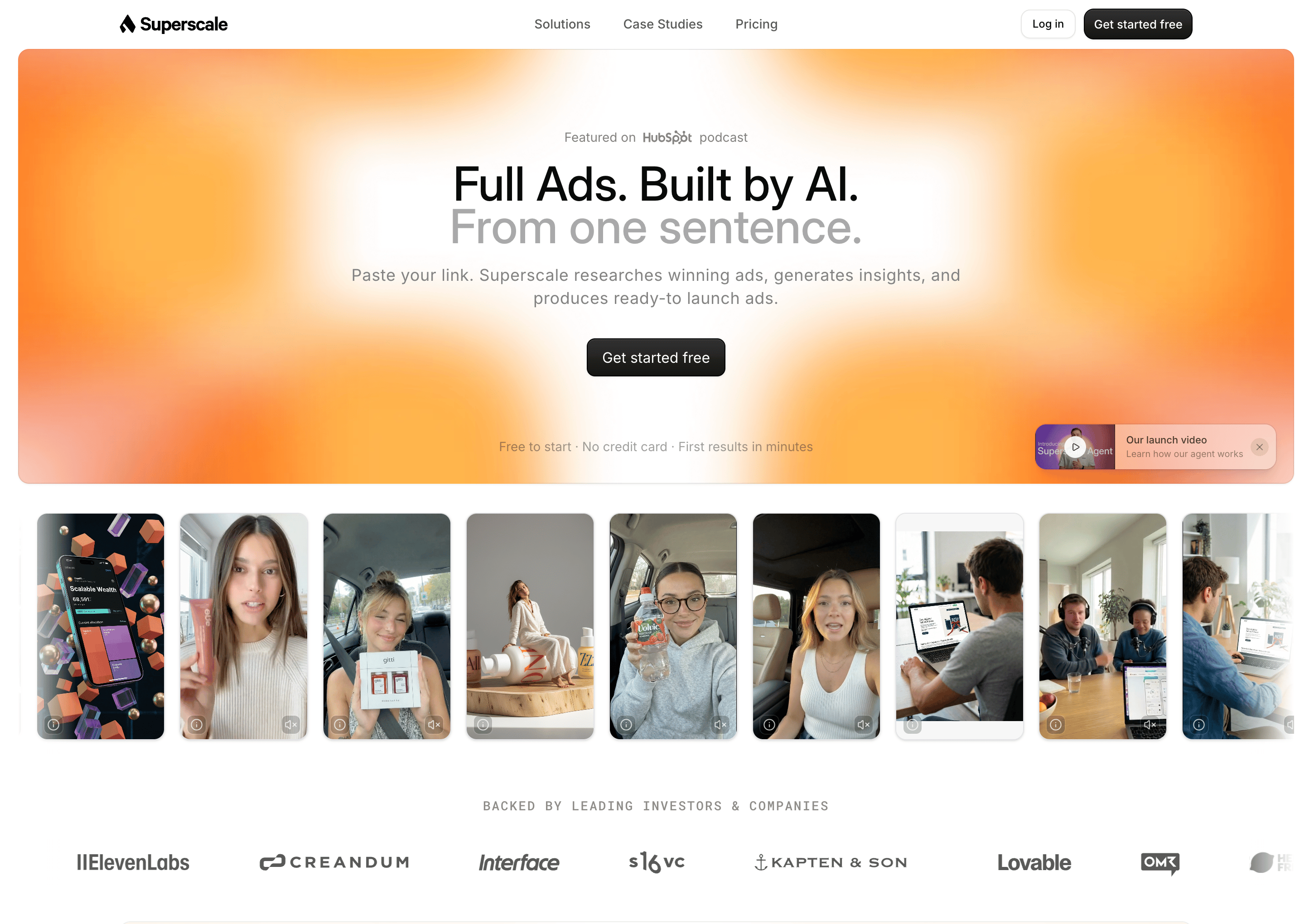
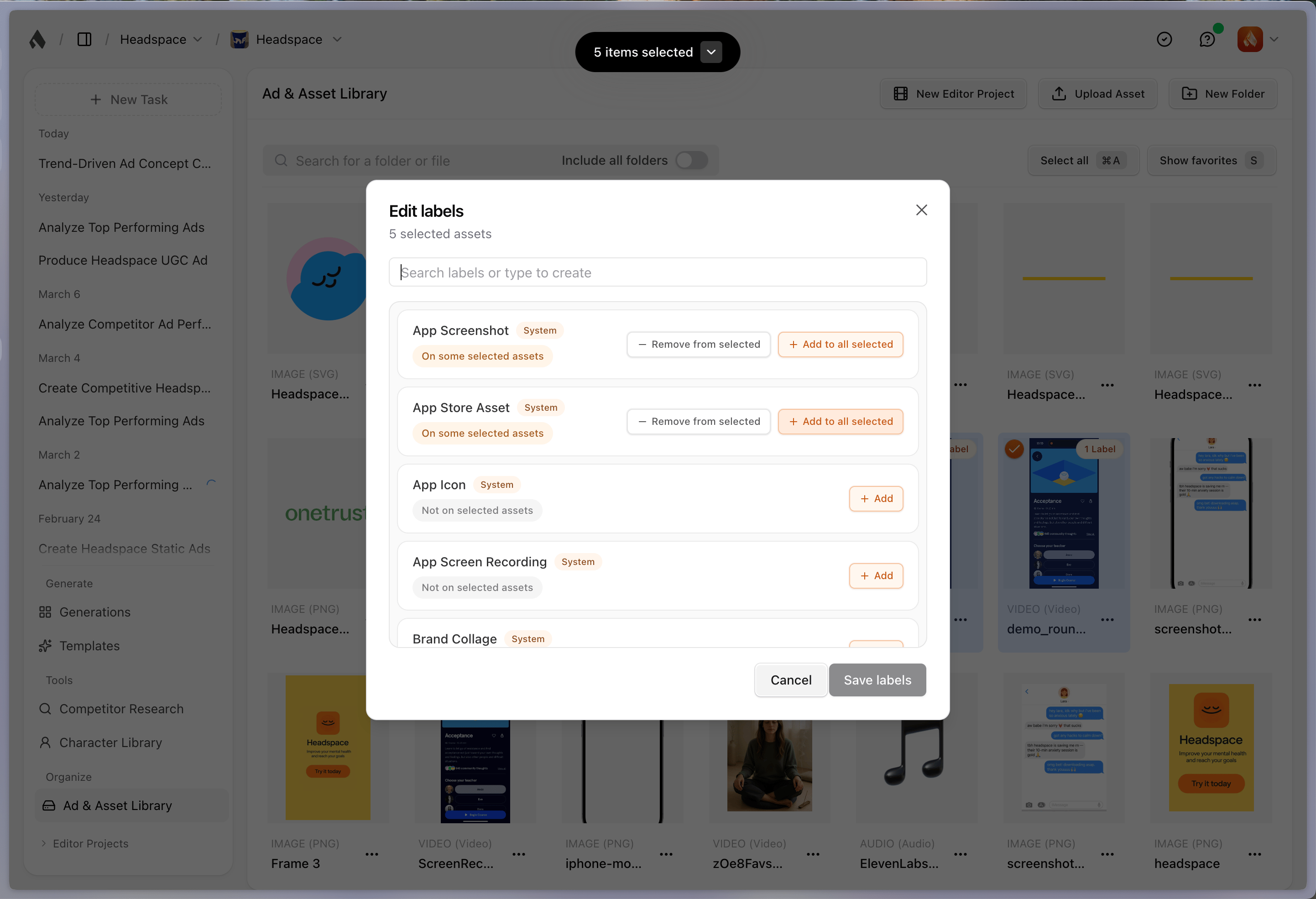
Select multiple assets and edit their labels and connections all at once.
## Bulk-edit your asset library
Select multiple assets and edit their labels and connections all at once.
 ## Two new modes for Agent tasks: Fast and Pro
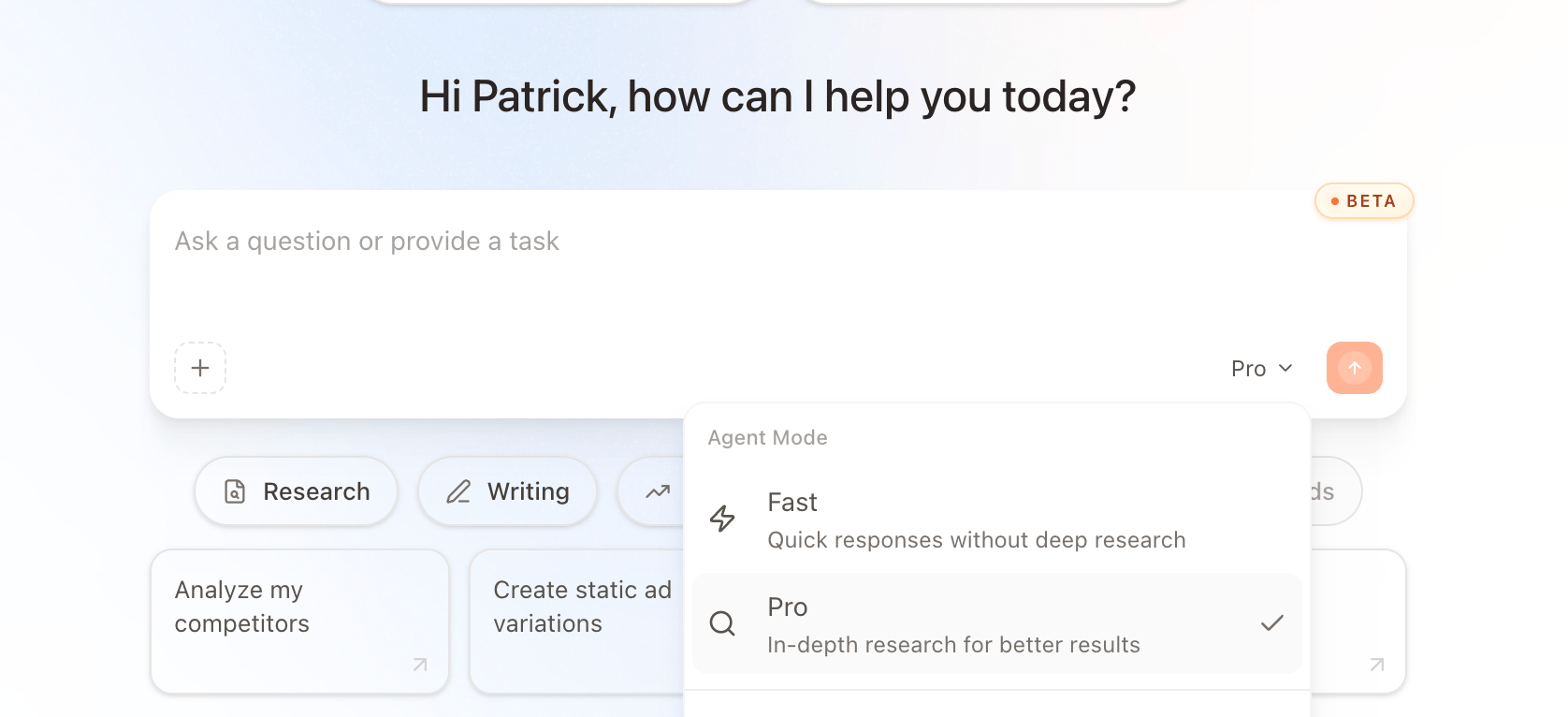
Fast gets you to creation sooner with lighter research on trends and competitors. Pro goes deep — reviewing all the relevant ads for maximum insight into your next one.
## Two new modes for Agent tasks: Fast and Pro
Fast gets you to creation sooner with lighter research on trends and competitors. Pro goes deep — reviewing all the relevant ads for maximum insight into your next one.
 ## Sharper images with Nano Banana 2
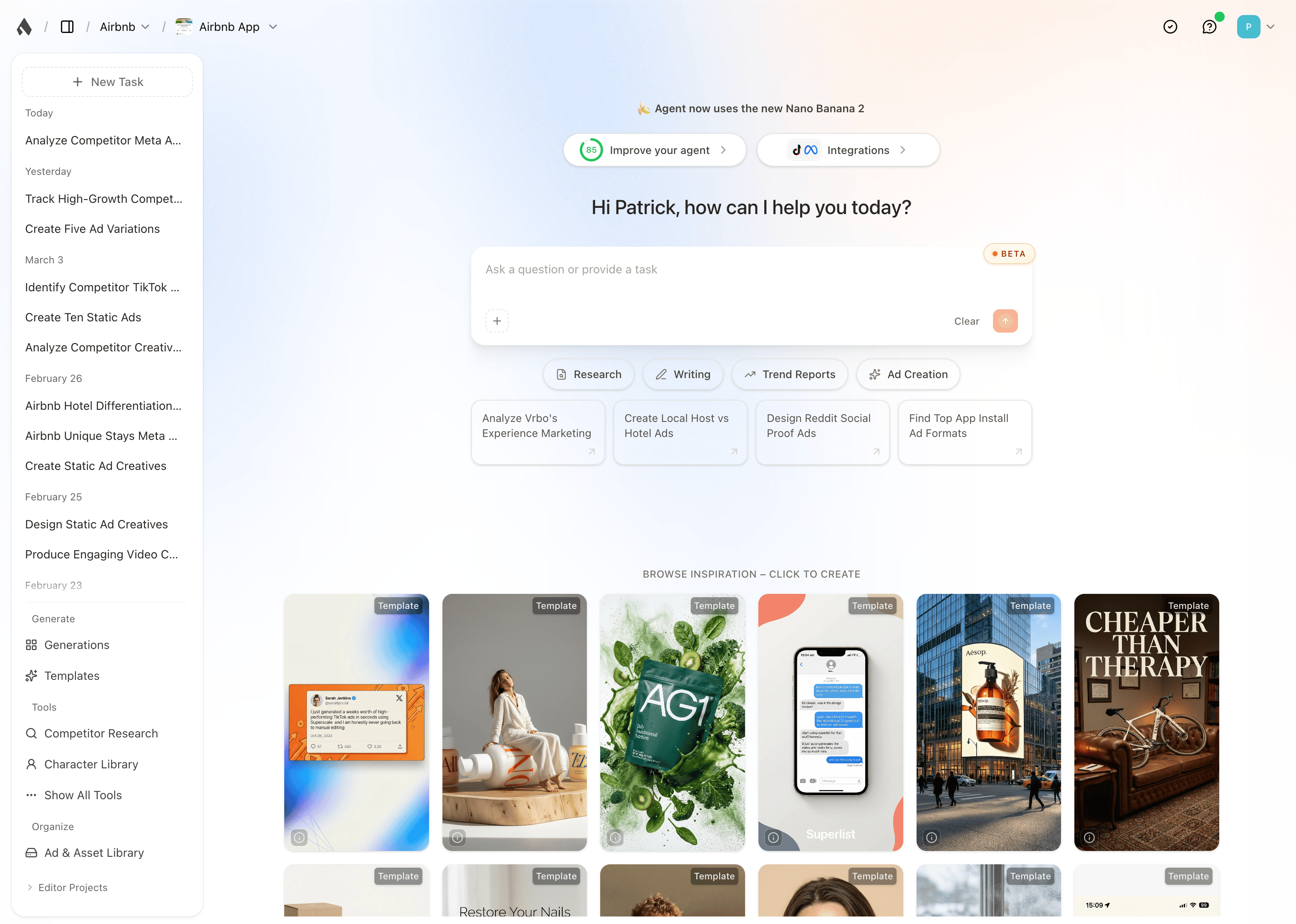
The Agent now uses Nano Banana 2 for more realistic images and better text rendering. We also launched a new Agent homepage with prompt suggestions and ad inspiration — click any ad to attach it to the prompt box and recreate it for your product.
## Sharper images with Nano Banana 2
The Agent now uses Nano Banana 2 for more realistic images and better text rendering. We also launched a new Agent homepage with prompt suggestions and ad inspiration — click any ad to attach it to the prompt box and recreate it for your product.
 Tell us what you'd love to see next at [hi@superscale.ai](mailto:hi@superscale.ai).