> ## Documentation Index
> Fetch the complete documentation index at: https://docs.superscale.ai/llms.txt
> Use this file to discover all available pages before exploring further.
# Avatar library (AI UGC)
> The AI creators behind your UGC ads: realistic characters that bring your product to life.
Superscale has two related character workflows that are easy to confuse:
* **Seedance UGC formats** generate a synthetic creator for a specific chat video, especially [UGC Testimonial](/features/speaking-character) and UGC Lifestyle.
* **Avatar/template workflows** are for reusable creators, saved actors, and more controlled video assembly where the same character needs to appear again.
Use this page when you are thinking about reusable AI UGC creators. If you only want a fast testimonial video from chat, start with [Creating videos](/features/video-ads).
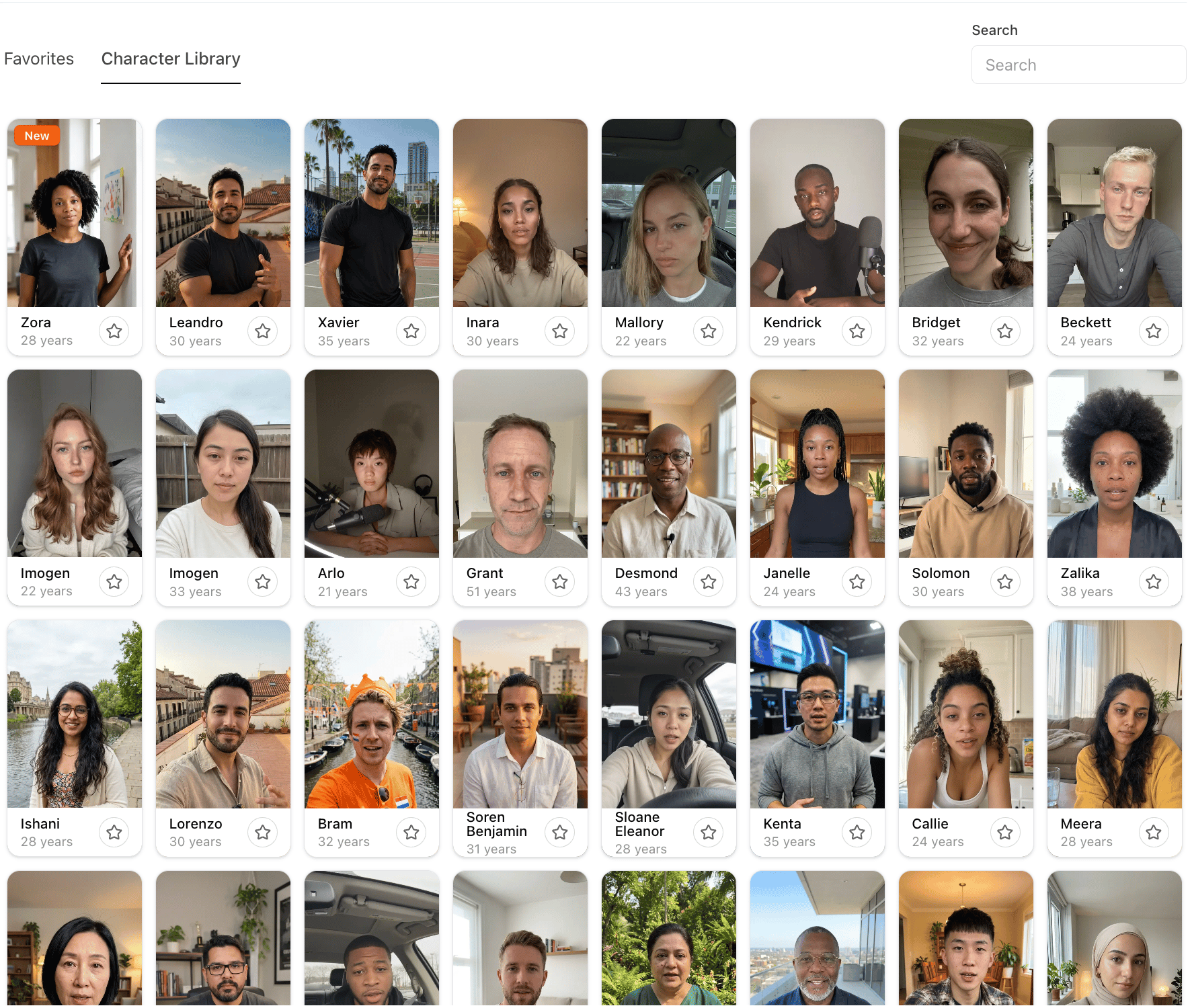 ## What you get
AI characters that can carry creator-style ad concepts without a live shoot.
Different ages, styles, and vibes, so you can match the creator to your audience.
Paired with [voiceover and lip-sync](/features/voiceover-lipsync) where the selected workflow supports it.
Keep the creators that work for your brand close at hand.
## Using a creator
When you generate a chat [speaking-character](/features/speaking-character) ad, describe the creator you want ("a friendly 30-something in a kitchen") and the agent casts a matching synthetic creator for that ad.
When you need repeatability across campaigns, use the avatar/template workflow so the actor, visual identity, and assembly rules can be reused.
Seedance animated brand characters are a separate format. They animate one obvious product, package, logo, or app icon as the character. They are not the same as a reusable human avatar.
Different audiences respond to different creators. Generate the same script with more than one creator and compare performance.
Put a creator to work.
This documentation is built and hosted on [Mintlify](https://mintlify.com), a developer documentation platform.
## What you get
AI characters that can carry creator-style ad concepts without a live shoot.
Different ages, styles, and vibes, so you can match the creator to your audience.
Paired with [voiceover and lip-sync](/features/voiceover-lipsync) where the selected workflow supports it.
Keep the creators that work for your brand close at hand.
## Using a creator
When you generate a chat [speaking-character](/features/speaking-character) ad, describe the creator you want ("a friendly 30-something in a kitchen") and the agent casts a matching synthetic creator for that ad.
When you need repeatability across campaigns, use the avatar/template workflow so the actor, visual identity, and assembly rules can be reused.
Seedance animated brand characters are a separate format. They animate one obvious product, package, logo, or app icon as the character. They are not the same as a reusable human avatar.
Different audiences respond to different creators. Generate the same script with more than one creator and compare performance.
Put a creator to work.
This documentation is built and hosted on [Mintlify](https://mintlify.com), a developer documentation platform.